vev
Norwegian: to weave
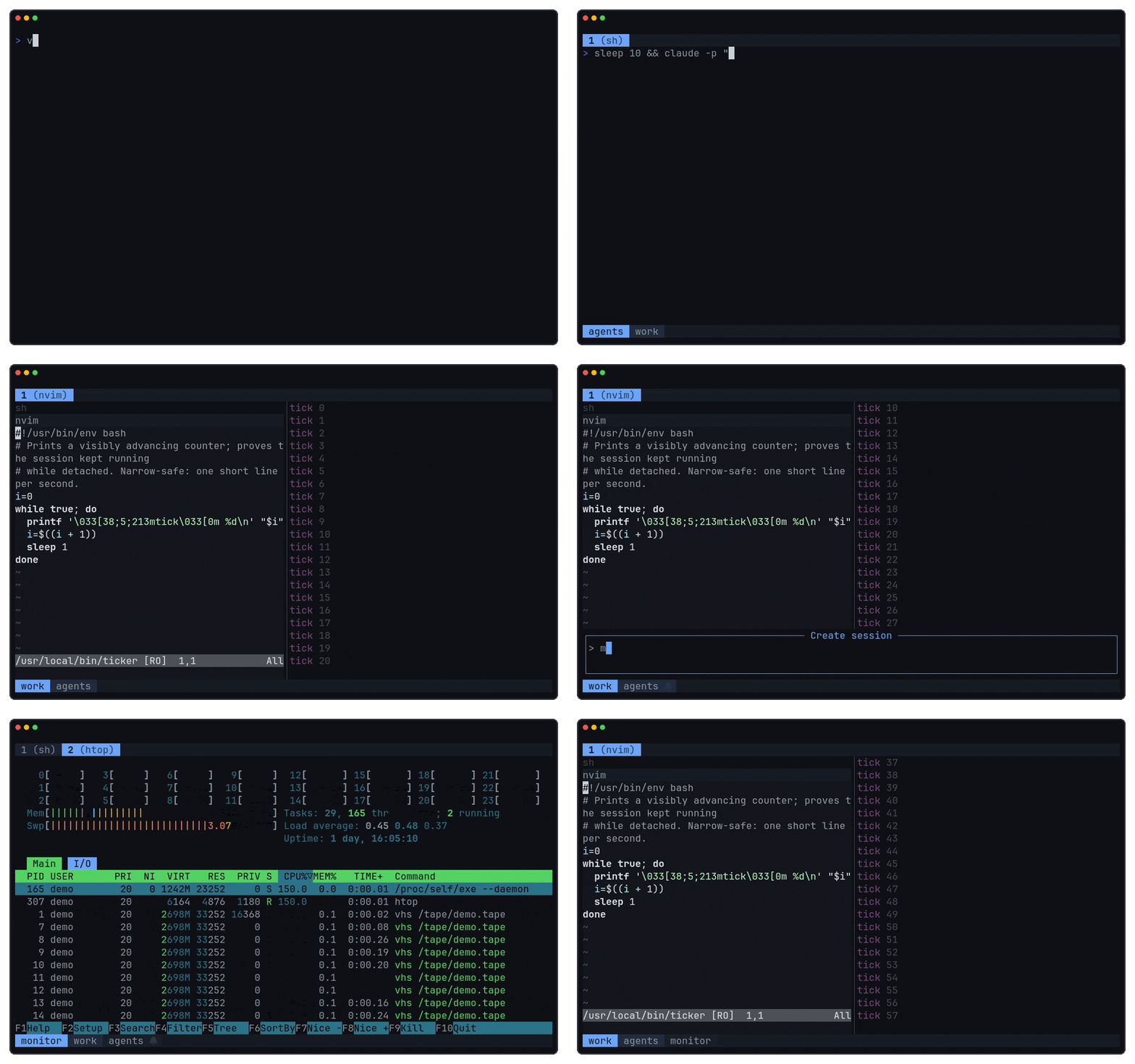
A terminal multiplexer for Linux and macOS.
One Go binary, zero runtime dependencies, remote attach that survives bad networks.
---
## Install
Install a pre-built release on Linux x86_64/arm64 or macOS Apple silicon (arm64):
```sh
curl -fsSL https://raw.githubusercontent.com/bnema/vev/main/install.sh | sh
```
Alternatively, build and install the binary with Go:
```sh
go install github.com/bnema/vev@latest
```
The default UI runs entirely from the `vev` binary. The pre-built installer also installs optional external bar anchors, which only take effect when configured in `~/.config/vev/config`.
## Usage
```text
vev create an ephemeral session
vev new create a named session
vev attach attach to a session (alias: a)
vev attach user@host[:session] attach to a remote daemon over SSH
vev ls list sessions
vev kill kill a session (--all kills everything)
```
The daemon starts on first use and exits with the last session. Ephemeral sessions are numbered, survive detach, and disappear with the daemon. Named sessions persist across daemon restarts and come back with their layout, recovered terminal transcript, and allowlisted processes.
Each session has one active client. Attaching another client shows `Session snatched` on the prior client; press `r` to resume control, or `q`/Esc to quit that attachment. A remote snatched client that reconnects stays snatched and does not take control automatically.
## Keys
No prefix key; everything is Alt.
| Key | Action |
|---|---|
| Alt+Space | command palette |
| Alt+f | floating terminal for the current tab |
| Alt+1 .. 9 | switch tab |
| Alt+h/j/k/l, Alt+Arrow | focus pane |
| Alt+a | jump to a session needing attention |
The palette does the rest: type a short code (`SPR` split right, `CNT` new tab, `SSP` session picker, ...) or fuzzy-search the command list. `MPN` (`Move pane to tab`) and `MTB` (`Move tab to session`) open live-destination pickers; the unbound pane consume/expel actions are discoverable there as `CEL` and `CER`. Named active and stopped sessions are fuzzy-searchable for navigation, and selecting a stopped session resumes it. Scroll up with the mouse to enter scrollback; vim keys move, `v` selects, `y` copies via OSC 52.
## Remote attach
```sh
vev attach user@host[:session]
```
SSH bootstraps the connection, then the session runs over UDP and resumes after sleep or Wi-Fi changes. vev must be installed on the remote. If your firewall only allows SSH, open the UDP range first (default `61000:61023`, override with `VEV_UDP_PORT_RANGE`):
```sh
sudo ufw allow 61000:61023/udp
```
Where UDP is not an option, `VEV_REMOTE_TRANSPORT=stdio` keeps everything inside SSH at the cost of slower disconnect detection. Details in [docs/remote-resilience.md](docs/remote-resilience.md).
## Scripting
`vev cmd` runs control commands against a running daemon; it never starts one. For example:
```sh
vev cmd split-right
vev cmd toast -l warn "build failed"
vev cmd list-panes --json
```
Target a session explicitly with `-s` (`vev cmd -s work new-tab`). Inside a pane, `--self` targets that pane; it cannot be combined with `-s`. Otherwise vev uses `$VEV` inside a pane, then the only live session; ambiguous targets fail. Run `vev cmd --help` for the scriptable command list and `vev cmd --help` for command usage.
Move the focused pane or active tab with these exact forms:
```text
vev cmd [-s ] [--self] move-pane
vev cmd [-s ] [--self] move-tab
```
Use `vev cmd -s list-tabs` to find stable destination tab IDs. Destinations must be live, but may be named or ephemeral; stopped sessions are not eligible. A moved pane is split to the right of the destination tab's focused pane and becomes that tab's internal focus without activating the tab. A moved tab is appended to the destination in the background. If the move empties the source session, its client follows the moved pane or tab, activates the destination, and snatches any active destination client.
Moving the final tiled pane out of a tab is rejected while that tab has a floating pane slot; close the floating pane or move the whole tab instead. Named-session persistence is best-effort across a move, not crash-atomic across source and destination snapshots.
## Configuration
Optional file at `~/.config/vev/config`, reloaded live. Themes, key bindings, palette codes, the floating terminal, status bar scripts: see [docs/configuration.md](docs/configuration.md). Terminal color and VT compatibility notes live in [docs/terminal.md](docs/terminal.md).
## Development
```sh
make test # go test ./... -race
make lint # goimports check, go vet
make mocks # regenerate mocks
make demo # regenerate docs/assets/demo.gif (needs Docker and ~/.claude credentials)
```