vev




Norwegian: to weave
A terminal multiplexer for Linux and macOS.
Like tmux, minus the prefix key. Like mosh, minus mosh. One binary.
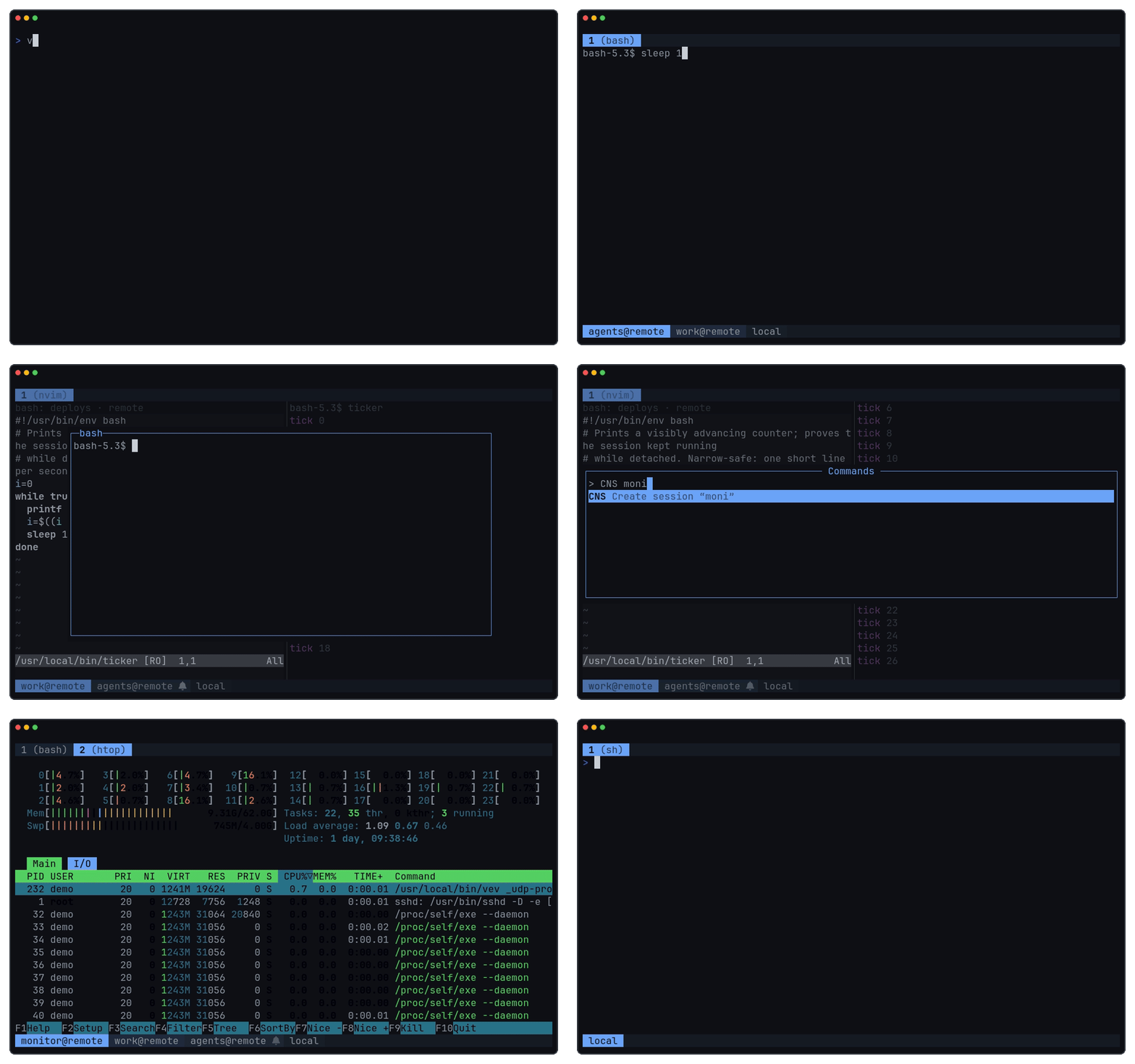
---
## Install
```sh
curl -fsSL https://raw.githubusercontent.com/bnema/vev/main/install.sh | sh
# Arch Linux: yay -S vev-bin
# or: go install github.com/bnema/vev@latest
```
Releases support Linux x86_64/arm64 and macOS Apple silicon.
## Usage
```text
vev create an ephemeral session
vev new create a named session
vev attach attach to a local session (alias: a)
vev attach user@host[:session] attach to a remote daemon
vev ls [|--all] list sessions
vev host add|rm manage remote hosts
vev host list list remote hosts
vev kill |--all kill sessions
```
The daemon starts on first use and exits after the last session. Numbered sessions survive detach; named sessions also survive daemon restarts. See [durable-session recovery](docs/durable-session-recovery.md).
> [!NOTE]
> A release that bumps vev's protocol version resets named sessions saved by an older protocol. Session names are retained, but layouts, tabs, terminal history, recovery transcripts, and process-recovery state are discarded. Each local or remote daemon applies this reset to its own sessions when it first starts with the new protocol.
## Keys and palette
No prefix key; bindings use Alt.
| Key | Action |
|---|---|
| Alt+Space | command palette |
| Alt+f | floating terminal |
| Alt+1 … 9 | switch tab |
| Alt+h/j/k/l or Alt+Arrow | focus pane |
| Alt+a | jump to a session needing attention |
Type a code or fuzzy-search the palette. Common default codes:
| Code | Action | Code | Action |
|---|---|---|---|
| `CNT` | new tab | `CNS` | new named session |
| `SPR` / `SPL` | split right / left | `SPU` / `SPD` | split up / down |
| `STP` / `TFS` | stack / toggle stack | `TFP` | floating terminal |
| `MFP` / `MAT` | move pane / tab | `SSP` | session picker |
| `DET` | detach | `NTC` | notifications |
Scroll up to enter copy mode; use vim motions, `v` to select, and `y` to copy. All codes and bindings are configurable in [configuration](docs/configuration.md).
## Remote attach
```sh
vev attach user@host[:session]
```
SSH bootstraps an authenticated direct UDP connection that resumes after sleep or network changes. Set `VEV_REMOTE_TRANSPORT=stdio` to use SSH only. The remote host needs vev installed; see [remote resilience](docs/remote-resilience.md) for firewall, transport, and host-list details.
## Scripting
`vev cmd` controls a running daemon without starting one:
```sh
vev cmd split-right
vev cmd toast -l warn "build failed"
vev cmd list-panes --json
```
Use `vev cmd --help` for commands and targeting options.
## Documentation
- [Configuration](docs/configuration.md): bindings, palette, theme, overlays, and bar anchors
- [Terminal compatibility](docs/terminal.md)
- [Remote resilience](docs/remote-resilience.md)
- [Durable session recovery](docs/durable-session-recovery.md)
- [Performance](docs/performance.md)
## Development
```sh
make test # go test ./... -race
make lint # goimports check, go vet
make mocks # regenerate mocks
make demo # regenerate docs/assets/demo.gif (needs Docker)
```