vev




Norwegian: to weave
A minimal, remote friendly terminal multiplexer for Linux and macOS.
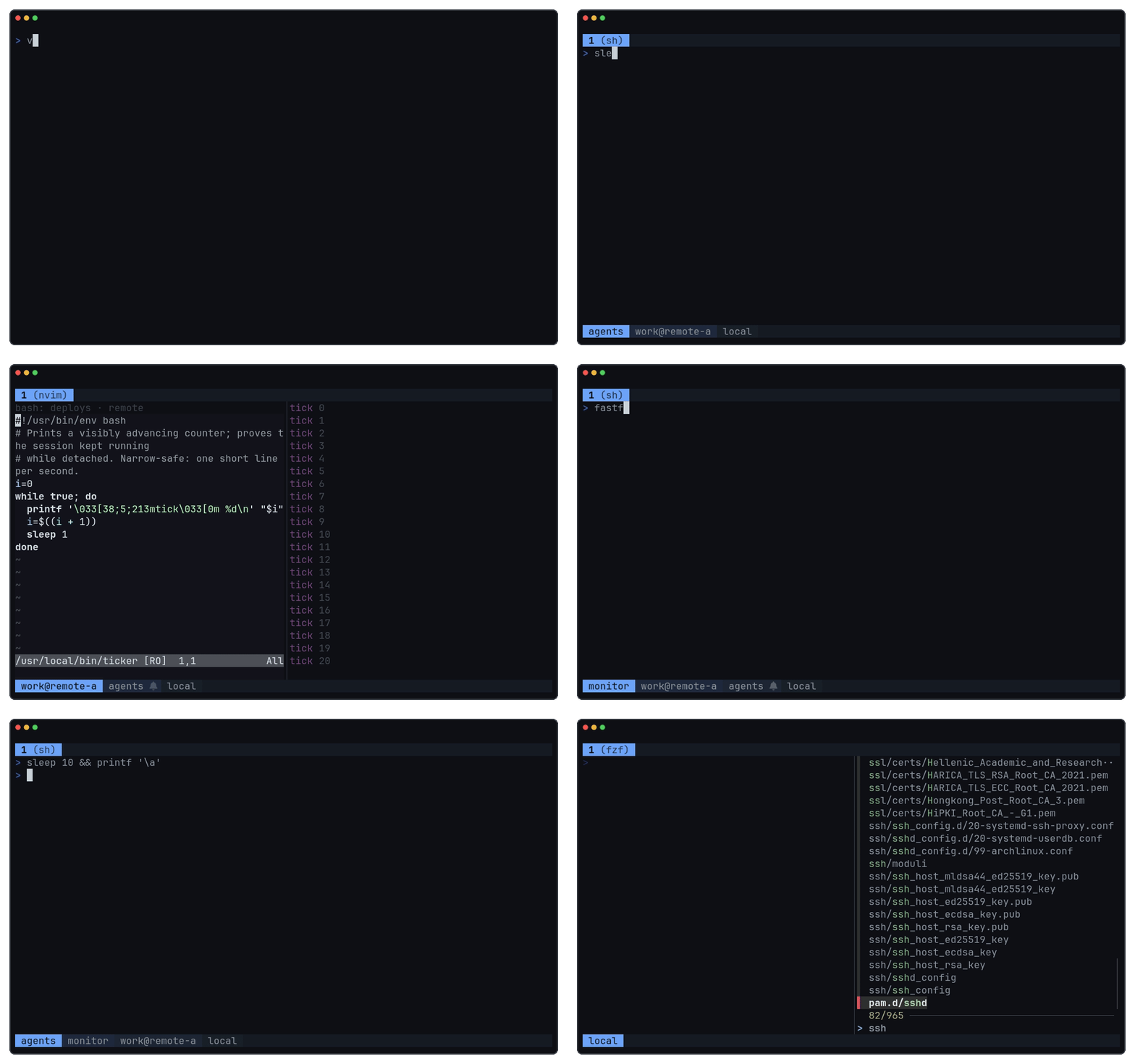
---
## Three modes
| Mode | Command | What you get |
|---|---|---|
| **Local** | `vev` | Sessions on this machine, kept by a local daemon. |
| **Remote** | `vev attach user@host` | Sessions on a server, rendered there and sent as small diffs over SSH + QUIC. |
| **Hybrid** | `vev host add user@host` | Local and remote sessions in one picker; switch between them without leaving vev. |
Remote and hybrid need vev installed on the remote host. Use `vev host add --transport ssh user@host` for SSH only. See [remote sessions](docs/remote-resilience.md).
## Features
- **No prefix key**: Alt shortcuts plus a command palette with short codes.
- **Tabs, splits, stacks, and a floating terminal** per tab.
- **Persistent sessions**: detach and re-attach; named sessions survive daemon restarts.
- **Browser terminal**: the same UI in a private web page.
- **Copy mode** with vim motions, notifications, and a fuzzy session picker.
- **Scriptable**: `vev cmd` controls a running daemon; `--ui-driver` drives it headlessly.
## Install
```sh
curl -fsSL https://git.bnema.dev/vev/raw/main/install.sh | sh
# Arch Linux: yay -S vev-bin
# or: go install github.com/bnema/vev@latest
```
Releases support Linux x86_64/arm64 and macOS Apple silicon.
## Usage
```text
vev new numbered session
vev new new named session
vev attach attach (alias: a)
vev attach user@host[:session] attach to a remote host
vev ls [|--all] list sessions
vev host add|rm|list manage remote hosts
vev kill |--sessions kill one or all sessions
vev kill --all stop vev entirely
vev --web-daemon start the browser terminal
```
- **Numbered sessions** survive detach, not a daemon stop. They close when their last client exits ([`ephemeral.close-on-exit`](docs/configuration.md#ephemeral-sessions)).
- **Named sessions** also come back after `kill --all` or a daemon restart ([recovery](docs/durable-session-recovery.md)).
- The daemon starts on first use. Exiting the last shell of a session returns you to your previous one.
## Keys and palette
| Key | Action |
|---|---|
| Alt+Space | command palette |
| Alt+f | floating terminal |
| Alt+1 … 9 | switch tab |
| Ctrl+1 … 9 | switch to a recent session ([kitty keyboard terminals](docs/terminal.md#kitty-keyboard)) |
| Alt+h/j/k/l or Alt+Arrow | focus pane |
| Alt+a | jump to a session needing attention |
Type a code or fuzzy-search the palette. Common default codes:
| Code | Action | Code | Action |
|---|---|---|---|
| `CNT` | new tab | `CNS` | new named session |
| `SPR` / `SPL` | split right / left | `SPU` / `SPD` | split up / down |
| `STP` / `TFS` | stack / toggle stack | `TFP` | floating terminal |
| `MFP` / `MAT` | move pane / tab | `SSP` | session picker |
| `DET` | detach | `NTC` | notifications |
- **Session picker** (`SSP`): ↑/↓ or `j`/`k` to move, `/` to search, `s` to sort, `x` to kill, Escape or `q` to close.
- **Copy mode**: scroll up, then vim motions, `v` to select, `y` to copy.
- With local and remote daemons attached, `CNS` asks where to create the session.
## Configuration
Optional file: `~/.config/vev/config`. Changes apply live.
```text
theme = auto # auto, dark, or light
open-palette = alt+space # any binding can be changed
code.new-tab = CNT # any palette code can be changed
floating.command = # empty = your shell
scrollback.megabytes = 50
bar.top-right = date +%H:%M # status command shown in the bar
```
Full list: [configuration](docs/configuration.md).
## Browser terminal
`vev --web-daemon` serves the UI on `127.0.0.1:8778` and prints a private link. Use `--web-listen` and `--web-origin` behind an HTTPS proxy. See [browser terminal](docs/web-terminal.md).
## Scripting
`vev cmd` controls a running daemon without starting one:
```sh
vev cmd split-right
vev cmd toast -l warn "build failed"
vev cmd list-panes --json
vev cmd env --json
```
Use `vev cmd --help` for all commands. For headless capture and input, see [UI driver](docs/ui-driver.md).
To refresh `WAYLAND_DISPLAY`, `SSH_AUTH_SOCK`, and other desktop variables in a running shell after you attach from another place, hook `vev env fish | source` (or `eval "$(vev env sh)"`) into your prompt. See [environment](docs/terminal.md#environment).
## Documentation
- [Configuration](docs/configuration.md): bindings, palette, theme, overlays, and bar anchors
- [Terminal compatibility](docs/terminal.md)
- [Remote sessions](docs/remote-resilience.md)
- [Session navigation](docs/session-navigation.md)
- [Durable session recovery](docs/durable-session-recovery.md)
- [Browser terminal](docs/web-terminal.md)
- [UI driver](docs/ui-driver.md)
## Development
Use `VEV_ENV` to keep development runs separate from your installed vev and from other builds:
```sh
VEV_ENV=dev go run .
VEV_ENV=dev go run . kill --sessions
rm -rf .dev/dev
```
Each name gets its own daemon, config, sessions, and logs under `.dev//`. It is not a sandbox.
```sh
make test # go test ./... -race
make lint # goimports check, go vet
make mocks # regenerate mocks
make demo # regenerate docs/assets/demo.gif (needs Docker)
```
Contributor docs: [architecture](docs/architecture.md), [protocol](docs/protocol.md), [performance measurement](docs/performance.md).